I have always been opposed to private citizens owning weapons. It seems to me to be a surrender by society, which, unable to guarantee security, subcontracts it to individuals. In Europe, the use of force is the exclusive prerogative of the state. I consider this a great achievement of civilization. Not least because it is based on the principle that personal freedom begins where that of others ends. My freedom cannot be total because it would end up limiting that of others.
Let me explain it for dummies: I can’t play with uranium in my house because the radiation would be harmful to my neighbors. Do I have the right to keep radioactive material at home? No. Does this limit my freedom? Yes. Is this a problem? No, damn it!
At this point, a Trump supporter might argue that if someone is a criminal, they could also use a knife to kill, or a car, or a lot of other things. This reasoning is specious because firearms are designed for the sole purpose of killing, unlike knives and cars.
Since Matrix has had its own blog for some time now, I’ll just post the reference here. In this article I’ll tell you about my experience with Elasticsearch and how one of its instances became part of Matrix.
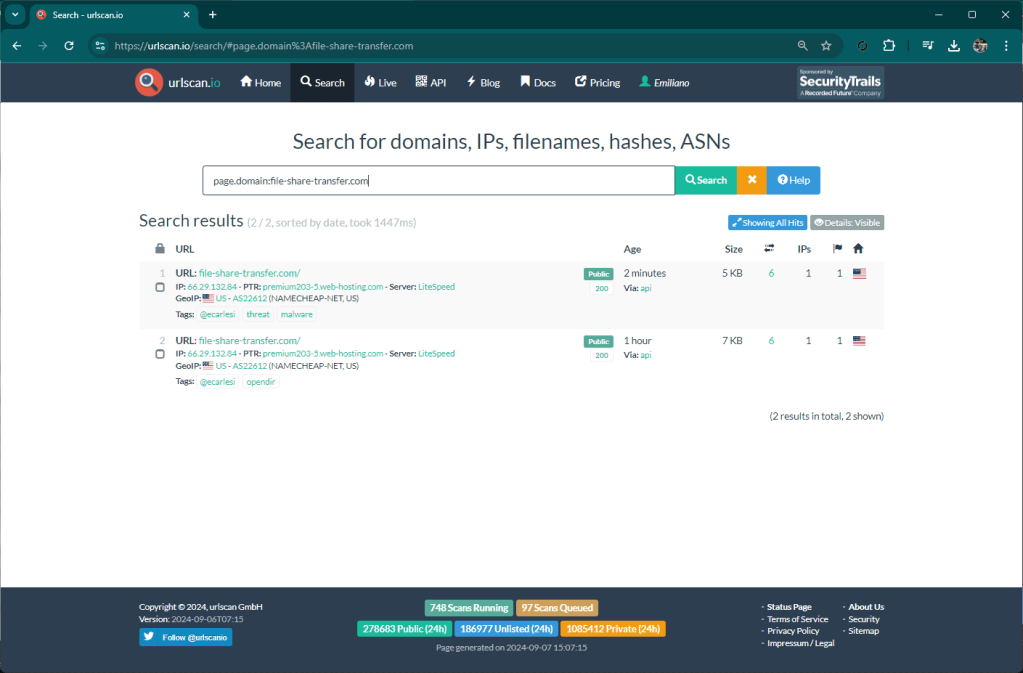
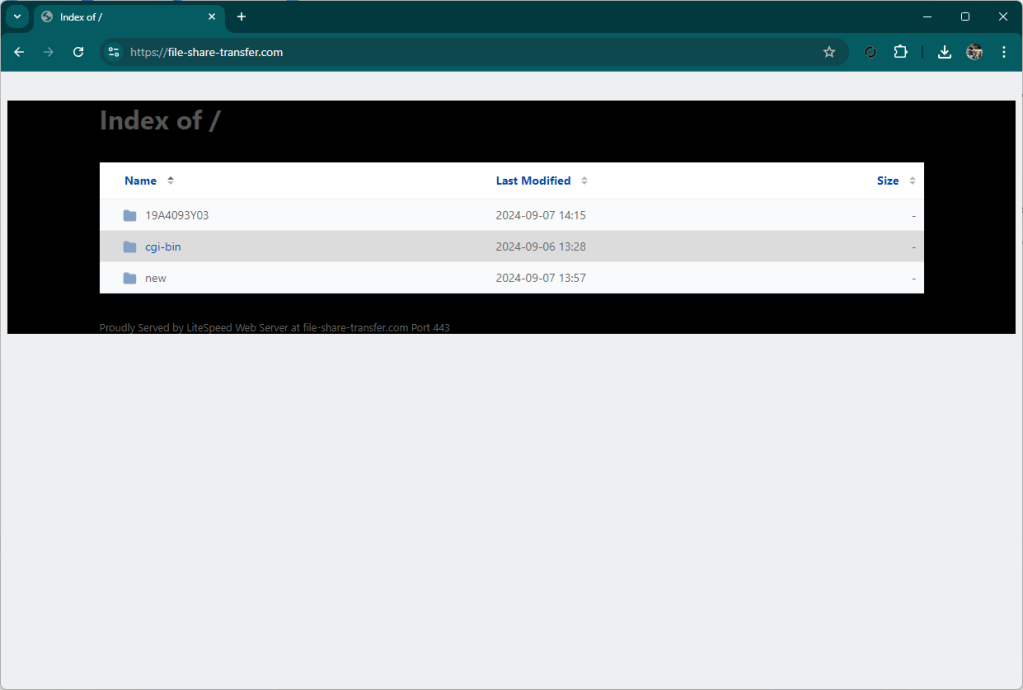
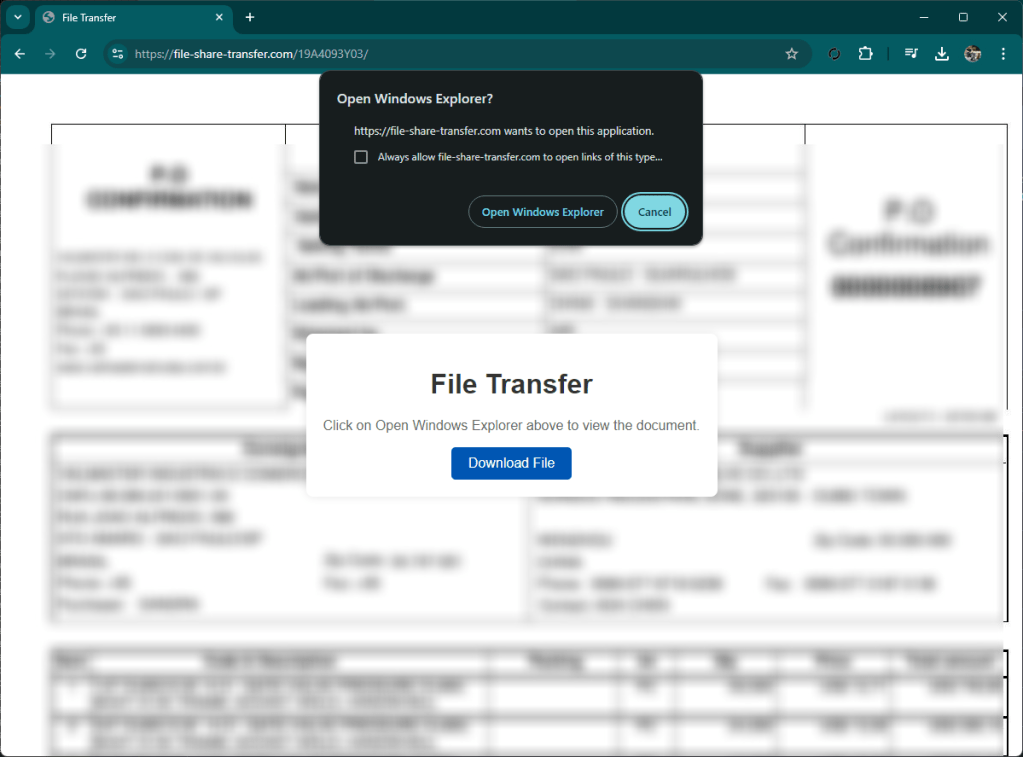
One of the features of Matrix is monitoring on some resources that are detected as suspicious. This monitoring is useful to identify threats like this one I am writing about. An hour ago Matrix reported the site file-share-transfer[.]com as “opendir”, this is because there was no content inside.
A few minutes ago however the component that monitors the resources already detected, notified an update. Matrix then ran a scan again and detected an active threat.
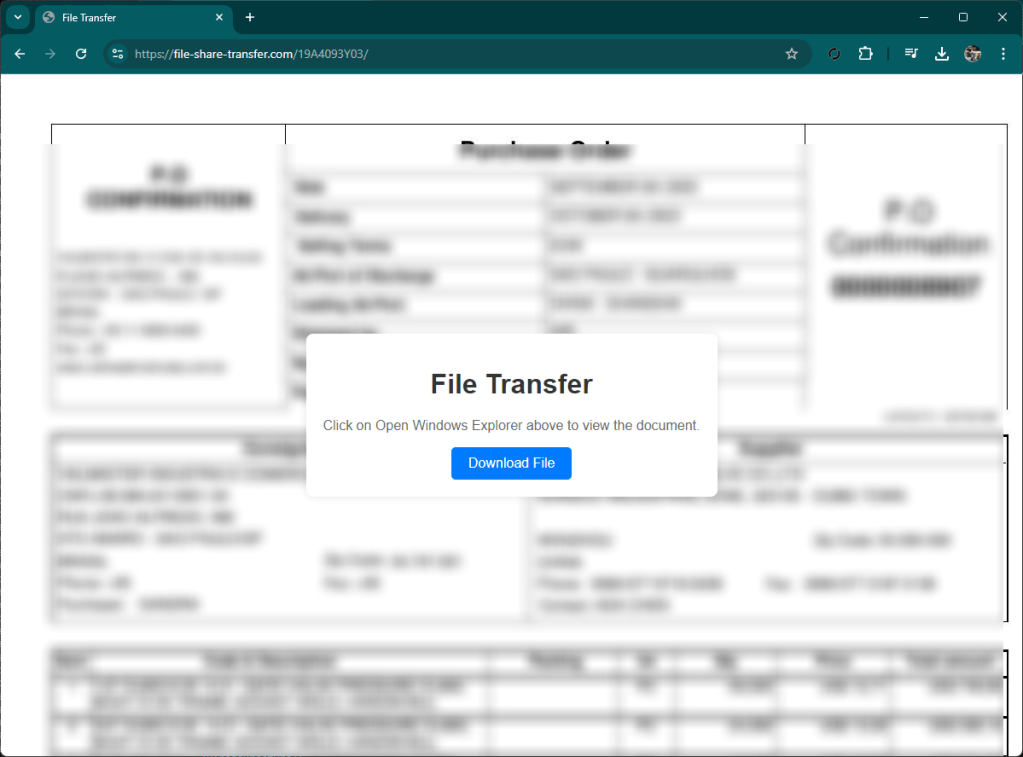
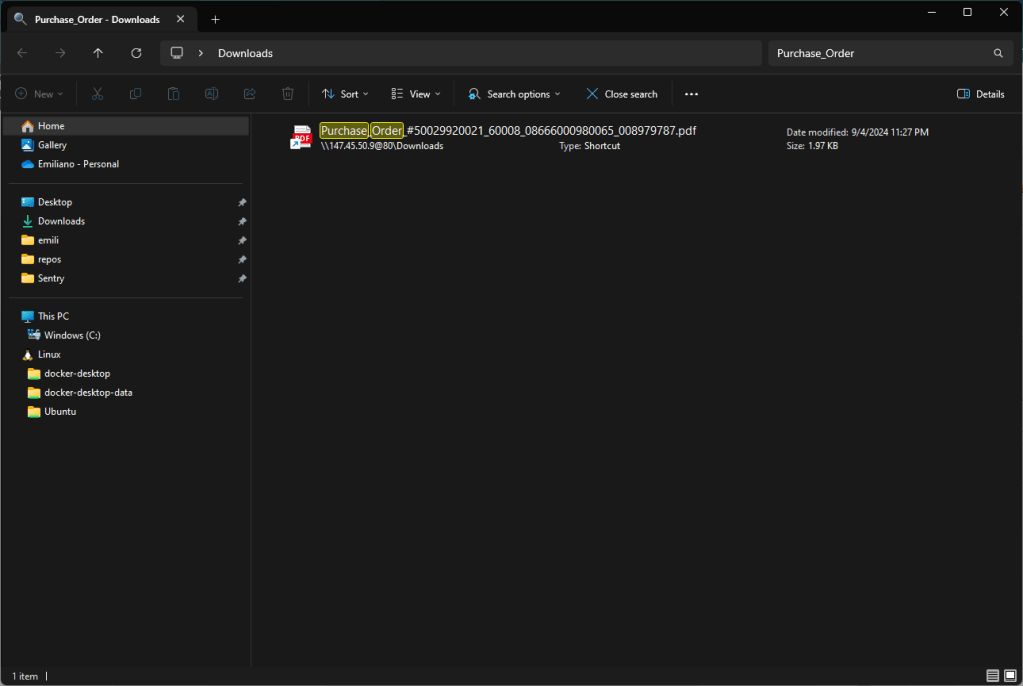
The site presents itself as a classic file remote drive that requires you to open a document. By clicking on the button, your local file browser (explorer or finder) opens, showing a well-presented artifact that is not very clear for an inexperienced user, interface.
At first glance, in fact, you might think that the document presented is a local document, while in fact it is a link to a well-disguised remote file.
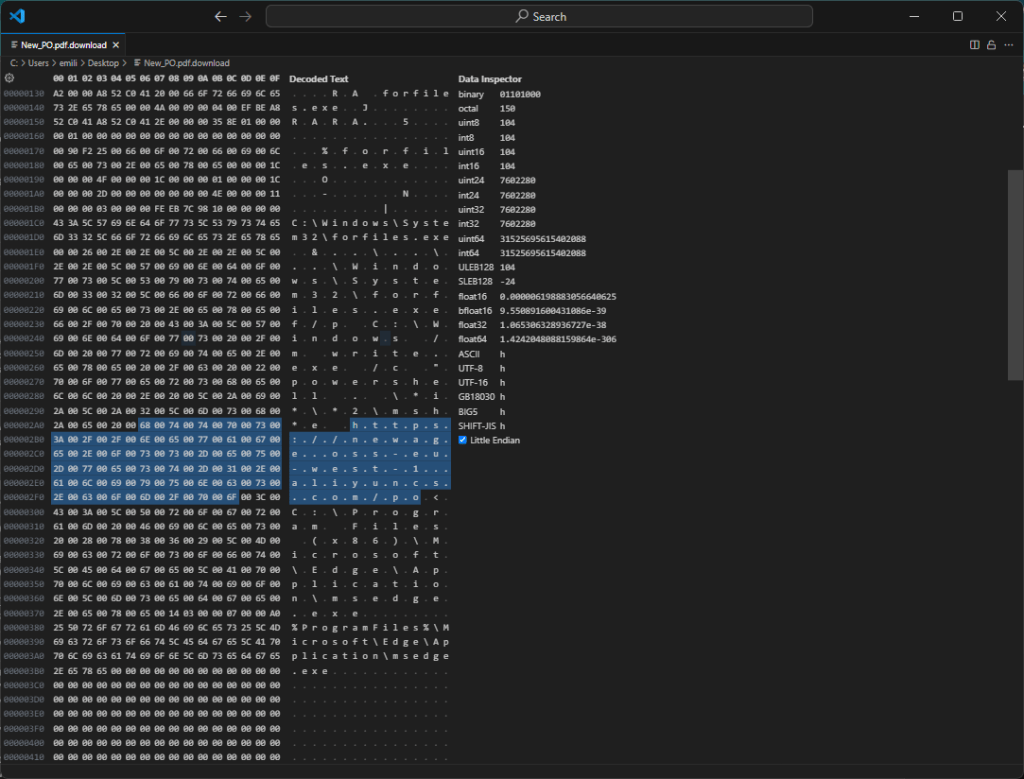
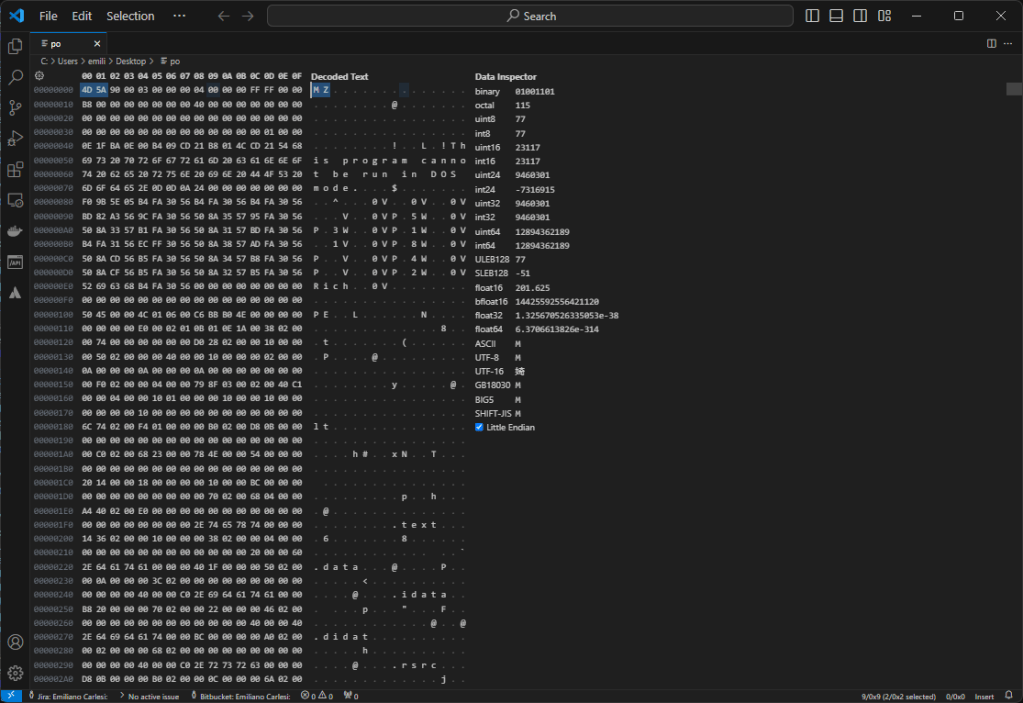
By proceeding, a link file is downloaded locally that references a malware that is downloaded from Alibaba’s cloud.
This attack is done fairly well, nothing particularly advanced but overall it is very fluid and credible. Performed towards a reality with little expertise it certainly has a good chance of success.
This leads us to understand how it is necessary to improve security at the infrastructure level because an attack like this will hardly be discovered by an average user. In my opinion, a more stringent sandbox on the browser and a more precise analysis would be necessary. My Chrome during this analysis did not highlight anything, the same for Defender. There is still a lot of work to do to make everyone safe.
Today I was analyzing some Matrix collected phishing kits and this struck me.
First of all for the continuous duplication of code, there are ten files with practically the same code with minor changes, he could have made a function… but unfortunately he is an idiot and so I come to the climax of the matter: the copyright on a redirect.
Also done badly because the variable is useless.
Such incompetent people are forced to steal because no one would give them a job in IT 😀
I recently came across this kit that targets PostNL customers.
The kit is currently still online.
Technically it’s not that great, the usual crap written badly in PHP; what I found funny was the “license”.
Пользовательское соглашение:
Блокировка на все RU машины (RU header).
Продукт поставляется “как есть”, функционал в описании к продукту.
Автор не несет ответственности за ваши законные/противозаконные действия, в результате которых был приченен вред какому-либо лицу.
Продукт несет в себе исключительно ознакомительный характер и предназначается для изучения и тестирования собственной защиты.
Покупатель обязуется не использовать продукт на RU машинах.
Покупатель приобретает продукт лично, поддержка оказывается только контакту с которого была оплата.
Запрещено выкладывать в публичный доступ файлы продукта и админки, это повлечет блокировку лицензии владельца.
User Agreement:
Block on all RU of the machine (RU header).
Product is delivered “as is,” the functionality in the product description.
Author is not responsible for your lawful/unlawful actions resulting in harm to any person.
Product is exclusively exploratory in nature and is intended to study and test its own protection.
Buyer undertakes not to use the product on RU machines.
Buyer purchases the product in person, which is supported only by the contact from whom the payment was made.
It is forbidden to upload product and admin files to public access, this will lead to the blocking of the owner’s license.
The video explaining how to install it is also very useful.
Whois info below
Domain Name: HELPDESK-TEST.ONLINE
Registry Domain ID: D479803092-CNIC
Registrar WHOIS Server: whois.namecheap.com
Registrar URL: https://namecheap.com
Updated Date: 2024-08-20T07:52:01.0Z
Creation Date: 2024-08-20T07:51:58.0Z
Registry Expiry Date: 2025-08-20T23:59:59.0Z
Registrar: Namecheap
Registrar IANA ID: 1068
Domain Status: serverTransferProhibited https://icann.org/epp#serverTransferProhibited
Domain Status: clientTransferProhibited https://icann.org/epp#clientTransferProhibited
Domain Status: addPeriod https://icann.org/epp#addPeriod
Registrant Organization: Privacy service provided by Withheld for Privacy ehf
Registrant State/Province: Capital Region
Registrant Country: IS
Registrant Email: Please query the RDDS service of the Registrar of Record identified in this output for information on how to contact the Registrant, Admin, or Tech contact of the queried domain name.
Admin Email: Please query the RDDS service of the Registrar of Record identified in this output for information on how to contact the Registrant, Admin, or Tech contact of the queried domain name.
Tech Email: Please query the RDDS service of the Registrar of Record identified in this output for information on how to contact the Registrant, Admin, or Tech contact of the queried domain name.
Name Server: DNS1.NAMECHEAPHOSTING.COM
Name Server: DNS2.NAMECHEAPHOSTING.COM
DNSSEC: unsigned
Billing Email: Please query the RDDS service of the Registrar of Record identified in this output for information on how to contact the Registrant, Admin, or Tech contact of the queried domain name.
Registrar Abuse Contact Email: abuse@namecheap.com
Registrar Abuse Contact Phone: +1.9854014545
URL of the ICANN Whois Inaccuracy Complaint Form: https://www.icann.org/wicf/
>>> Last update of WHOIS database: 2024-08-21T10:14:38.0Z <<<

For more information on Whois status codes, please visit https://icann.org/epp

>>> IMPORTANT INFORMATION ABOUT THE DEPLOYMENT OF RDAP: please visit
https://www.centralnicregistry.com/support/rdap <<<

The Whois and RDAP services are provided by CentralNic, and contain
information pertaining to Internet domain names registered by our
our customers. By using this service you are agreeing (1) not to use any
information presented here for any purpose other than determining
ownership of domain names, (2) not to store or reproduce this data in
any way, (3) not to use any high-volume, automated, electronic processes
to obtain data from this service. Abuse of this service is monitored and
actions in contravention of these terms will result in being permanently
blacklisted. All data is (c) CentralNic Ltd (https://www.centralnicregistry.com)

Access to the Whois and RDAP services is rate limited. For more
information, visit https://registrar-console.centralnicregistry.com/pub/whois_guidance.
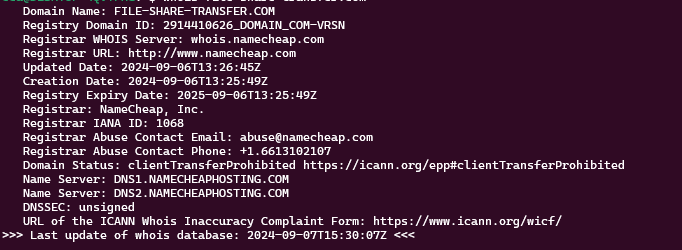
The domain was registered a few hours ago at Namecheap and in the tutorial we use Namecheap as the hosting platform for the content.
This morning I dedicated half an hour to understand something better about a scam that I had understood to be a scam without ever having seen it in action.
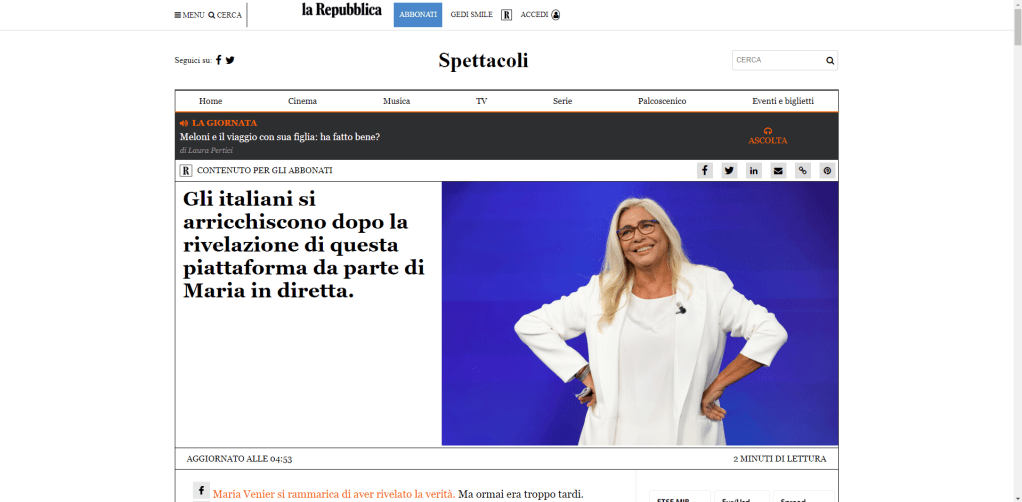
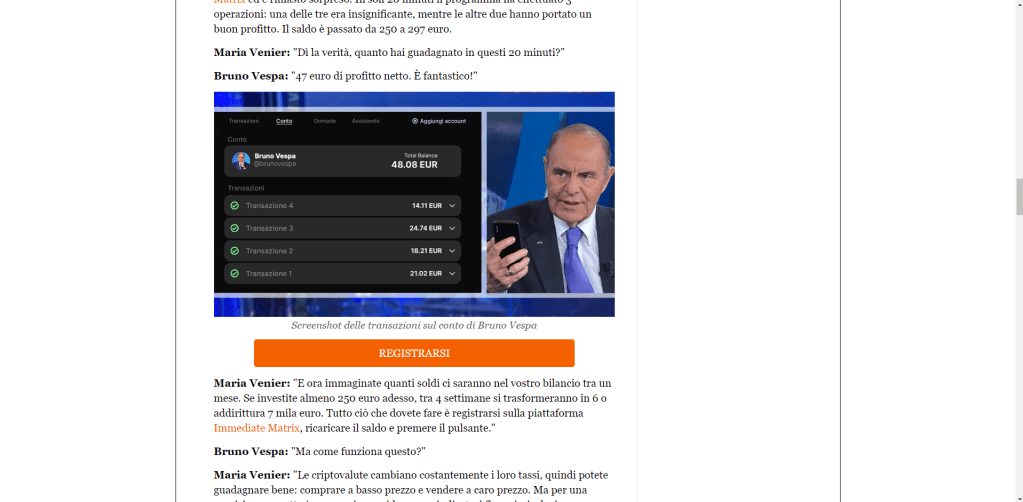
I’ll start with a shortened link I received. A page opens with the graphics of a well-known Italian newspaper (La Repubblica) presenting a series of articles and testimonials on a way to get rich without doing shit. hxxp://larepubblica[.]vipcanberich[.]top/bx4ng7rcoxggna6/d4wgksheywr/rwrcvjbk/ The page, even if poorly made, could be plausible for someone who is not very smart (there are people who believe in the flat earth…)
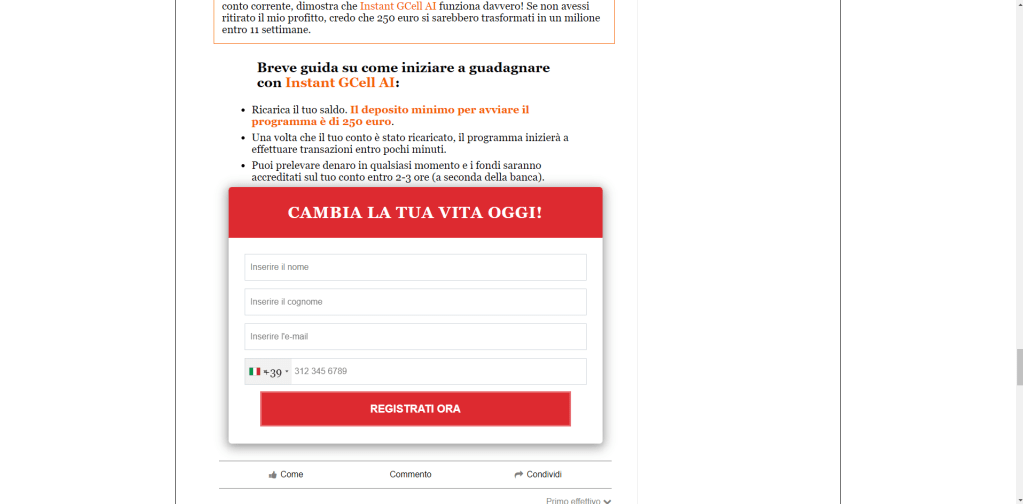
All the links on the page lead to a form to be filled out with name, surname, email, telephone number.
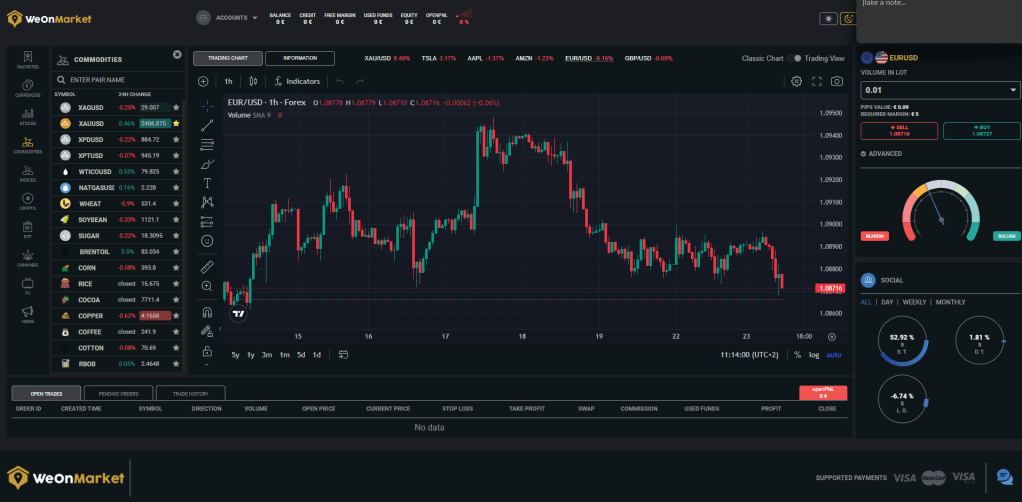
I fill out the form and after submitting it I find myself on a page that looks like an online trading dashboard.
The page contains the data I sent. Within a few seconds I receive a call from the number +390645220040, on the other end a young man who says his name is Fabrizio. From the way he speaks you can tell that he is not a native Italian speaker.
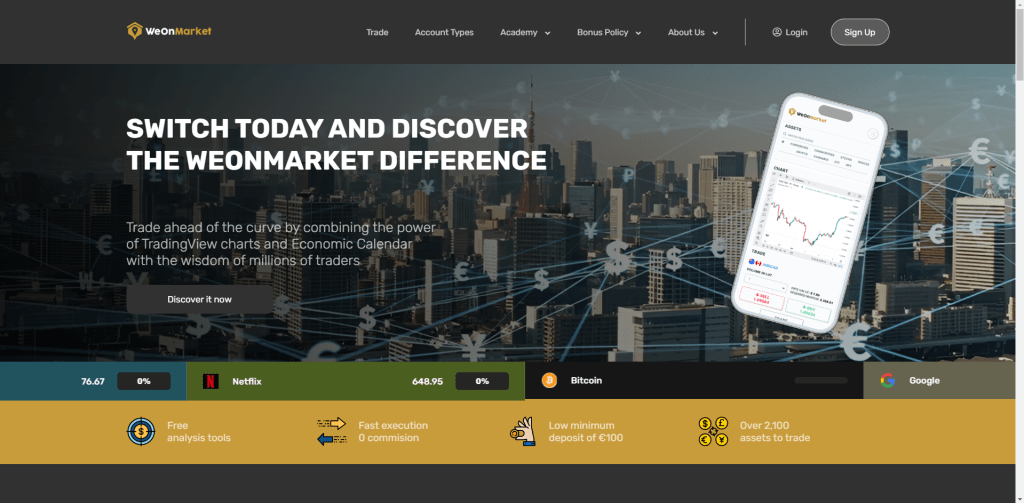
He introduces himself, chats and asks me to visit the site hxxps://weonmarket[.]com.
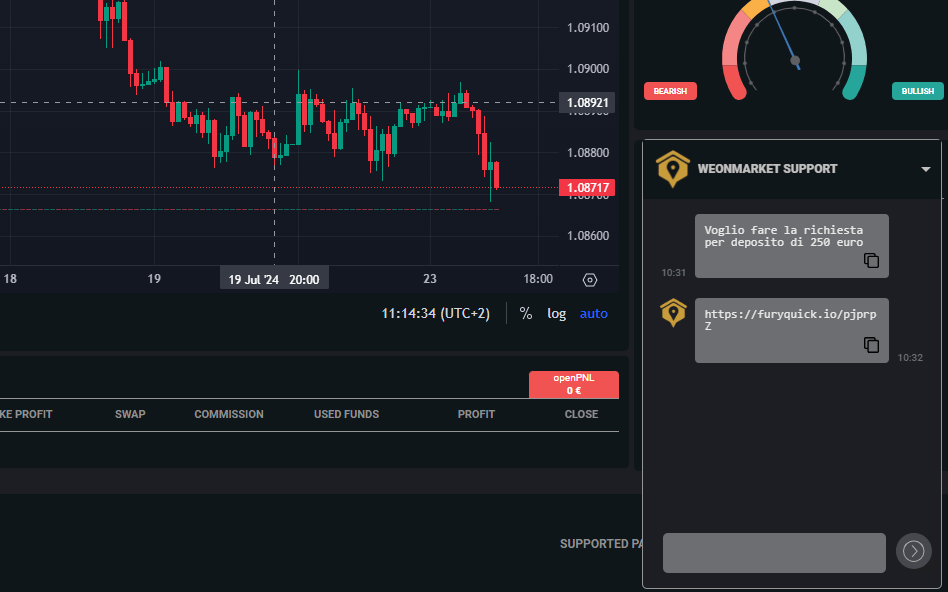
I do it and I find myself back on the previous dashboard. He asks me to visit some pages of this site trying to instill confidence in the system and asks me to send a message in a chat. I do it and after a few seconds I receive the link (hxxps://furyquick[.]io/pjprpZ) to make the first deposit of 250 euros.
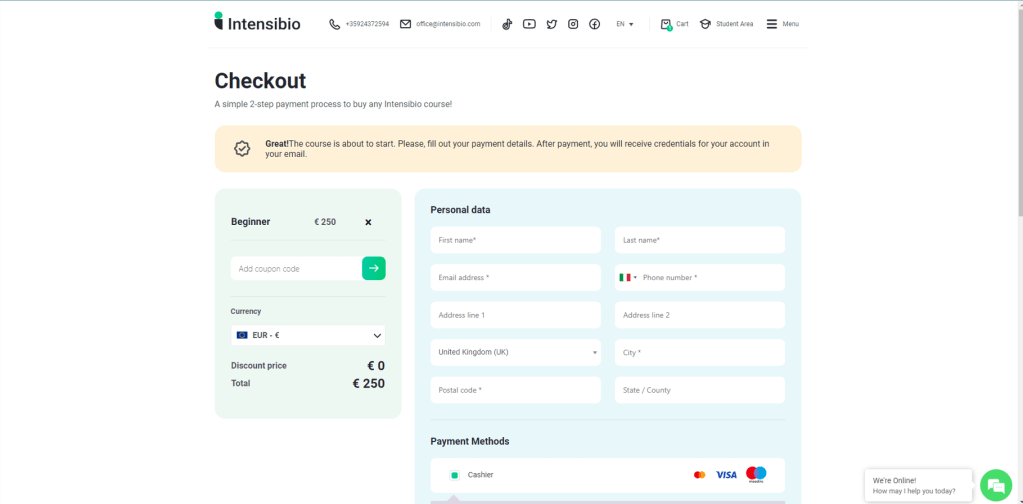
I click on the link and I find myself on a checkout page of a Bulgarian site that sells training courses. I make an excuse and end the call (I told him I only have an AMEX card which I saw was not accepted by the platform).
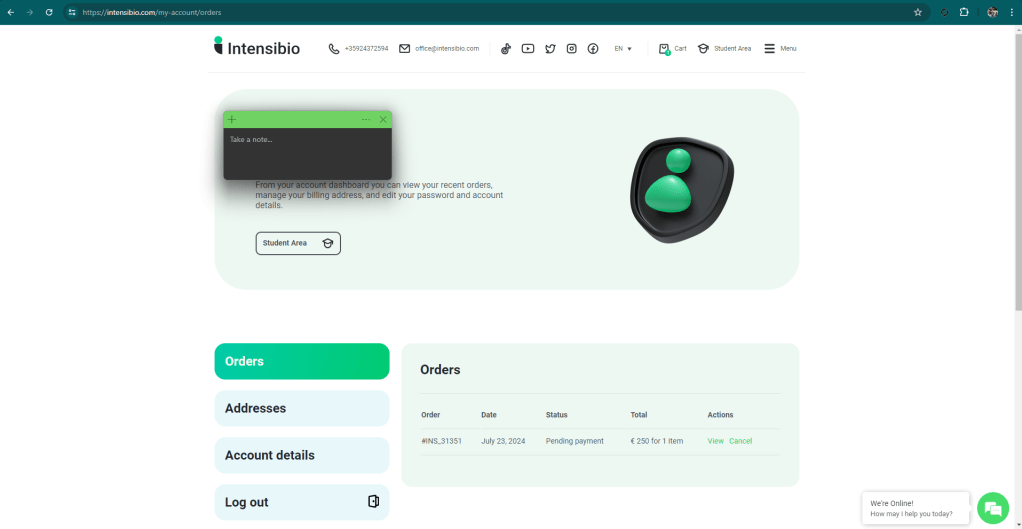
I just receive also an email with information about my pending payment
All very simple.
So, now, what do we know?
Do not click on links received via email, text message or WhatsApp. It doesn’t matter if we think we know the sender.
Information has value based on its source. The source must be verified. If you are unable to verify a source or don’t feel like doing so you will probably mess up. Especially if you go to vote.
The phone number +390645220040 is used to scam.
The website weonmarket[.]com is used for scamming.
The intensibio[.]com website is used as a platform to receive money from the scams carried out by these gentlemen.
The furyquick.io site is used to create links to the intensibio[.]com site
The scam only works if you don’t want to use an American Express card. AMEX is not an accepted payment method.
After months of development and testing, a new, futuristic and indispensable feature has finally gone online! I put a page online to get your public IP 🙂
I know there are millions of them, but all those who know returned the information I needed (my IP) along with a hundred other useless things. This page instead only returns the IP and therefore I can use it from the command line and in scripts 🙂
A few months ago I was informed of an investigation into a type of fraud that sees some infrastructure based in Russia at the center of attention. I was contacted because Matrix had reported a domain that was later used for fraud.
Following the chat with the journalist conducting the investigation, I developed some new indicators to detect this type of threat, you can find them (obviously on urlscan) here:
I have been using Slack for many years and in many projects I have been able to appreciate its features. It is a very powerful tool that unfortunately has a weak point: the user 😦
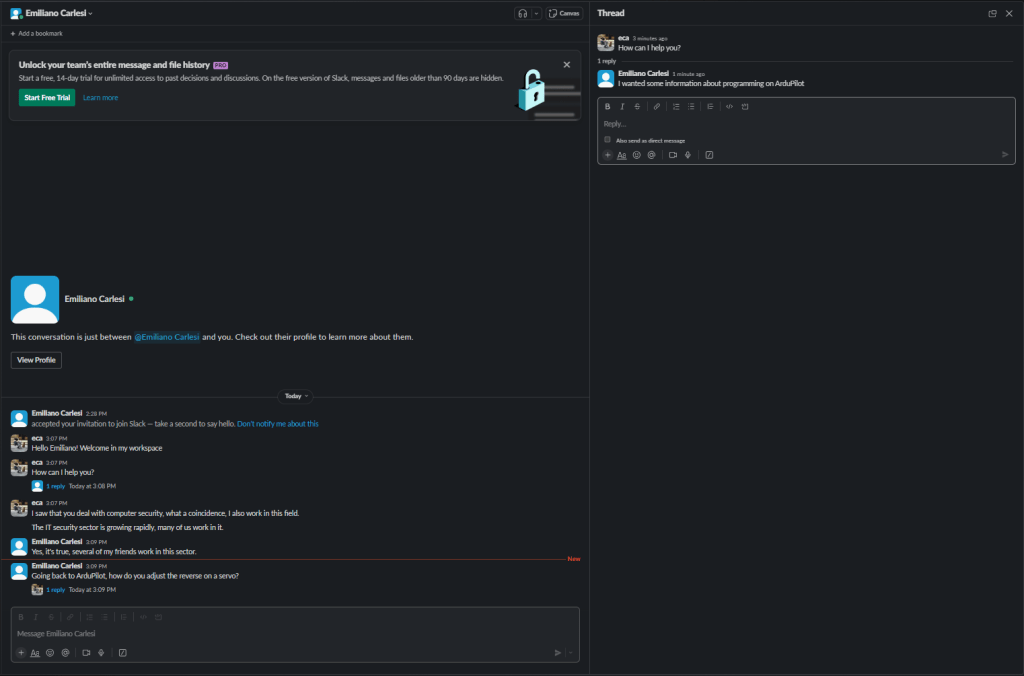
Most people I know use it like Whatsapp or Sykpe. Failure to use the “threat” feature turns Slack channels into a complete mess.
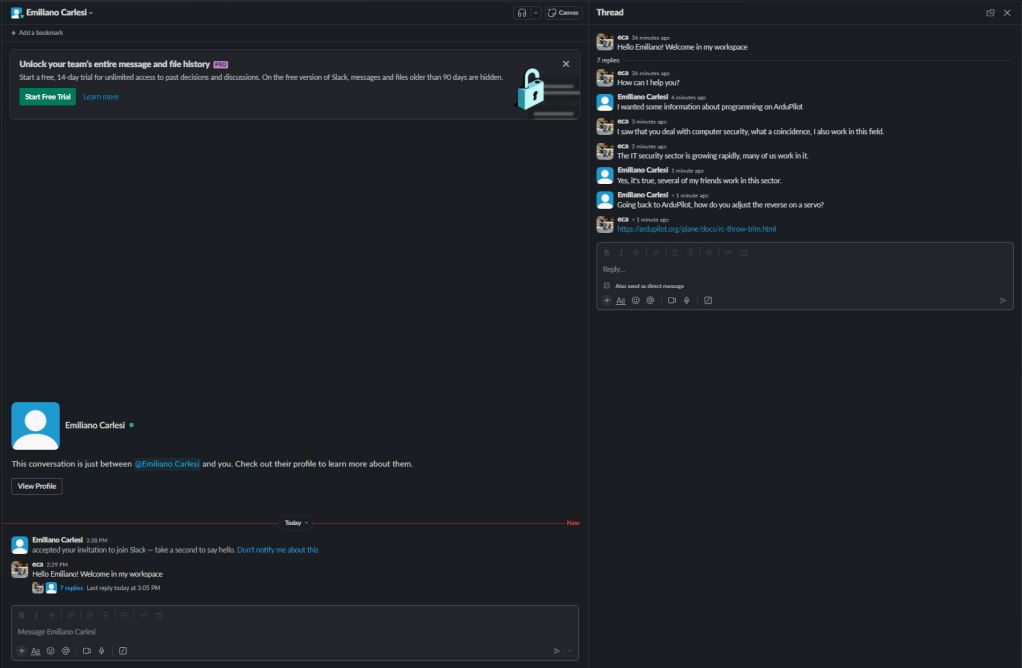
Below is the same discussion between me and myself using threads and making a mess. Obviously using threads is better!
For all the people who don’t use threads I have a question: why should we spend money on Slack when Whatsapp is free?
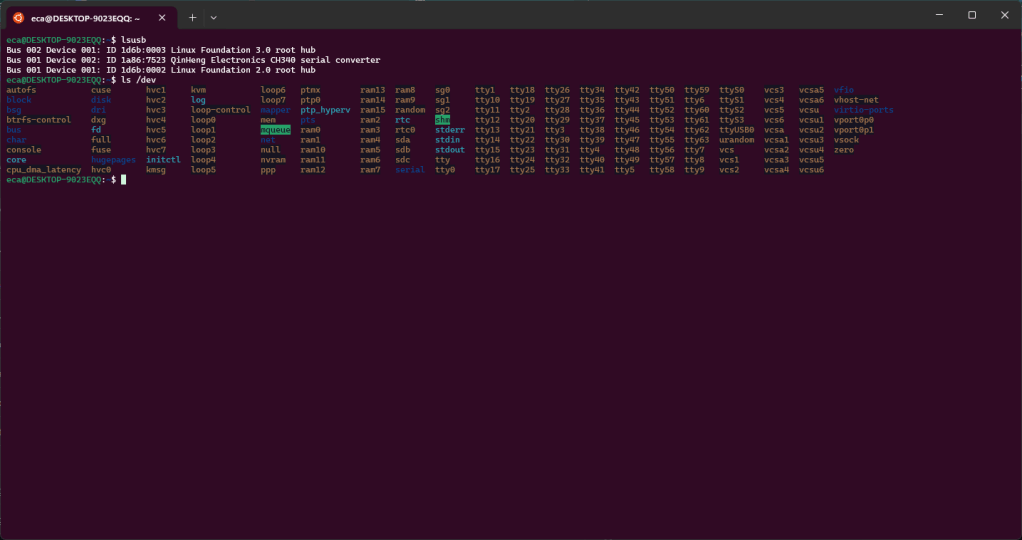
In the previous post we saw how to connect our ESP2282 board via USB to our WSL. In this post we see how to use ESPHome into our WSL. If everything worked we will have the following configuration. As you can see we have the “ttyUSB0” device, this represents our board.
First we install the components missing from the default Python installation of WSL: “pip” and “venv”.
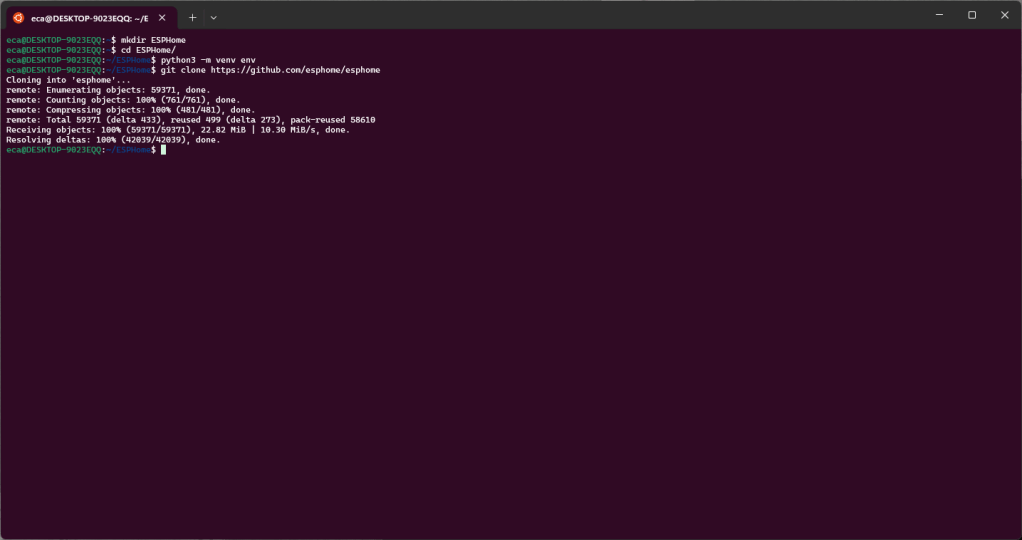
Now let’s create the directories that we will use. The parent directory will be “ESPHome”, under this we will create “env” with the Python venv and “esphome” with the ESPHome repo clone.
Now let’s activate the venv and install the ESPHome dependencies.
source env/bin/activate
cd  esphome
sudo python3 setup.py install
Once this is done we can verify that everything works by trying to invoke “esphome”.
As indicated in the documentation we can start the wizard to try to install our firmware on the board using this command
esphome wizard livingroom.yaml
If everything went well we can install the firmware on the board with the following command
esphome run livingroom.yaml --device /dev/ttyUSB0
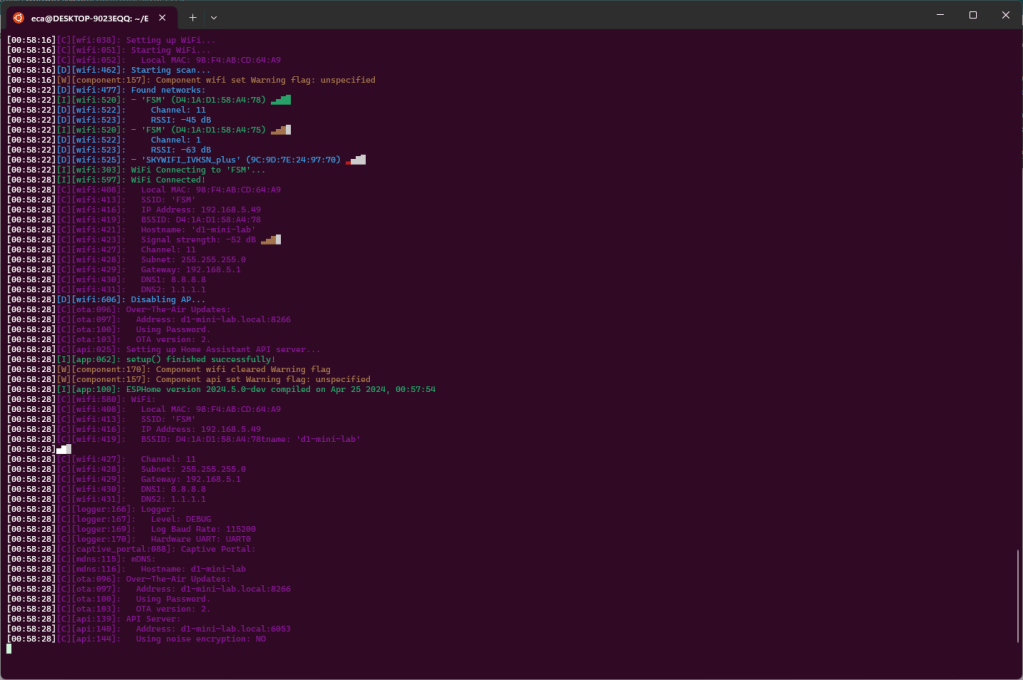
The first run will take some time because it need to download all dependencies and libraries. At the end of the download the new firmware will be compiled and installed on the board.
Once the firmware has been installed, the board will be started and it will connect to the WIFI network configured during the wizard and in the output we will find all the information relating to the available WIFI network as well as the information relating to the WIFI network to which the device is connected.
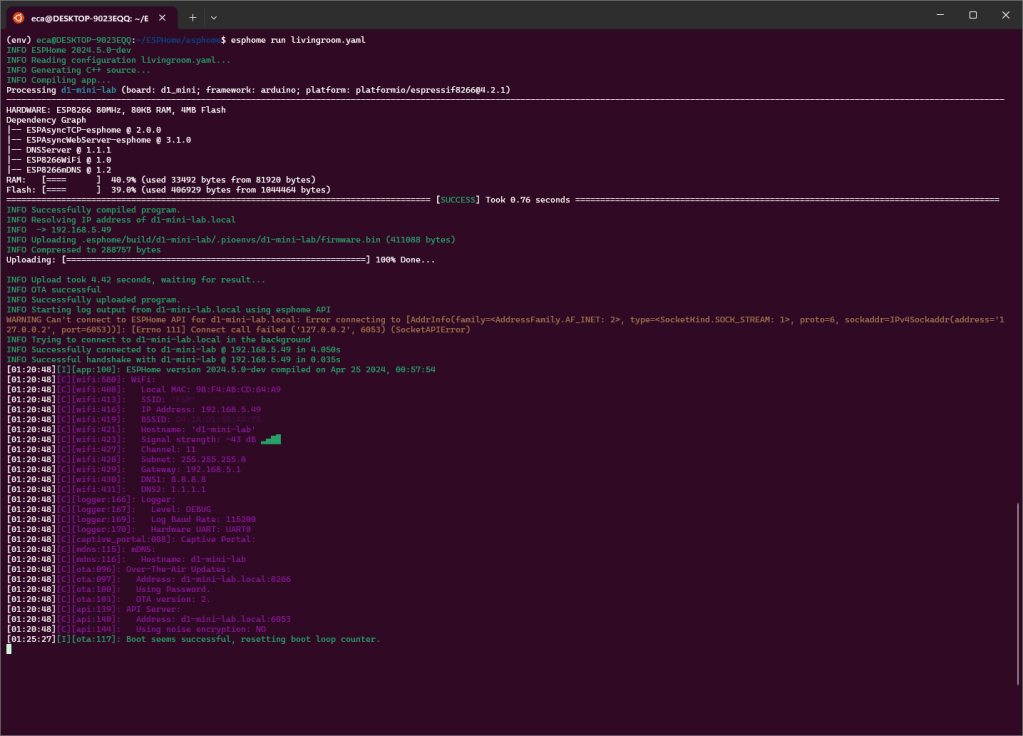
Now that the board is installed and configured to use your WIFI, you can disconnect it from the USB port and power it using a power supply or another computer and connect to the board itself using WIFI, also to carry out a new firmware upload. To do this you can use the previous command omitting the device.
esphome run livingroom.yaml
If you get an error like this after uploading
you can fix it by using these commands to update protobuf











 Emiliano Carlesi's blog
You must be logged in to post a comment.